- ウイルスなし
- スパイウェアなし
- マルウェアなし
このファイルは公開前に編集者がダウンロード・スキャン・インストールしました。
すべてのファイルは公開前にVirusTotalでも確認しています。

GameGuardian APK(rootあり・なし対応)
詳細情報: GameGuardian APK(rootあり・なし対応)
の説明 GameGuardian APK(rootあり・なし対応)
GameGuardian APKはAndroid向けのメモリエディタです。実行中のゲームに入り込み、コイン、HP、タイマーなどの値を検索して、その場で変更したり固定したりできます。スピードハックにも対応しているため、ゲームの速度を遅くしたり速くしたりでき、Luaスクリプトも実行できます。これは特定のゲーム用のMODではなく、遊んでいるどのゲームにも向けられる、ひとつのツールです。
最初に知っておいていただきたいことがあります。GameGuardianはGoogle Playにはなく、これまでにも掲載されたことがありません。メモリ編集ツールはストアの規約に反するため、本当の入手先は公式サイトのgameguardian.netと、信頼できるカタログだけです。このページのファイルは元のAPKで、公開前に編集部がマルウェアのスキャンと実機のAndroid端末でのインストール確認を行いました。これは2018年から続けています。
GameGuardianとは
GameGuardianは2012年から存在し、gameguardian.netでd2dynoのチームが開発しており、ダウンロード数は2億を超えています。考え方はシンプルです。ゲームが動いているとき、所持金、体力、カウントダウンといった数値は、スマホのメモリ上にあります。GameGuardianはそのゲームのプロセスに接続して数値を読み取るため、目的の値を見つけて、リアルタイムで編集できます。
特定のタイトルではなくメモリに働きかけるので、ひとつのインストールで非常に幅広いゲームに対応します。ARMとx86のチップ、32ビットと64ビットのアプリ、人気のエミュレーターにも対応しており、この柔軟さこそがツールの要点です。
主な機能
| 機能 | 内容 |
|---|---|
| 値の検索 | 完全一致、あいまい、暗号化された検索で、ゲームが隠している数値でも探し出せます。 |
| データ型 | Dword、Float、Double、Qword、XOR、Byteに対応し、特殊な値や保護された値も見つかります。 |
| 全結果の編集 | 一致したすべての結果を、ひとつずつではなく一度に変更できます。 |
| スピードハックとタイムジャンプ | ゲームの速度を上げたり下げたり、長いタイマーを先に進めたりできます。 |
| Luaスクリプト | コミュニティ製またはカスタムのスクリプトを実行して、長い編集を自動化できます。 |
| フローティングオーバーレイ | ゲーム上に小さなフローティングアイコンが表示され、いつでもツールを開けます。 |
rootは必要ですか?
動かし方は2通りあります。rootがあると、GameGuardianはゲームのメモリに完全にアクセスでき、最も安定する傾向があるため、長年のユーザーはroot化したスマホを好みます。
rootがなくても大丈夫です。仮想空間アプリの中でツールを動かします。Parallel Space、VirtualXposed、VMOS、VPhoneGaga のいずれかです。仮想空間をインストールし、GameGuardianとゲームの両方をその中に追加して、その仮想環境からゲームを起動します。すると、システムのrootがなくても、ツールはゲームのメモリを見ることができます。
ダウンロードとインストールの方法
ダウンロードするのは単一のAPKで、このページから開始します。
- このページ上部の緑色のAPKをダウンロードボタンをタップします。ファイルは直接ダウンロードされ、登録やSMS認証は不要です。
- お使いのブラウザまたはファイルマネージャーに対して、提供元不明のアプリのインストールを許可します(設定 → セキュリティ)。
- ファイルを開いてインストールをタップし、完了まで待ちます。
インストール後、GameGuardianはアプリアイコンを隠し、ランダムなパッケージ名になります。奇妙に見えますが正常な動作で、ツールを検出しようとするゲームから身を隠すために、意図的にそうしています。ウイルスではありません。野良アプリのインストールは初めてですか?APKインストールガイドで、同じ手順をスクリーンショット付きで説明しています。
GameGuardianの使い方(クイックスタート)
最初の編集を成功させるための、簡単な手順です。
- 先にGameGuardianを起動し、そのあと編集したいゲームを開始します。
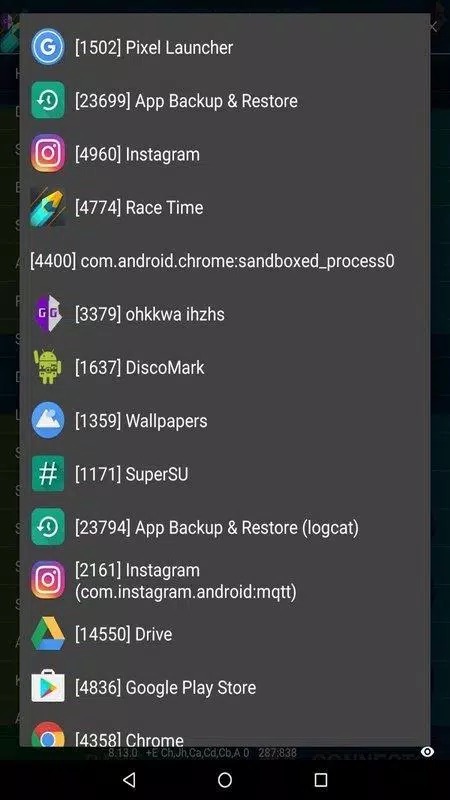
- フローティングアイコンをタップし、プロセス一覧からゲームを選びます。
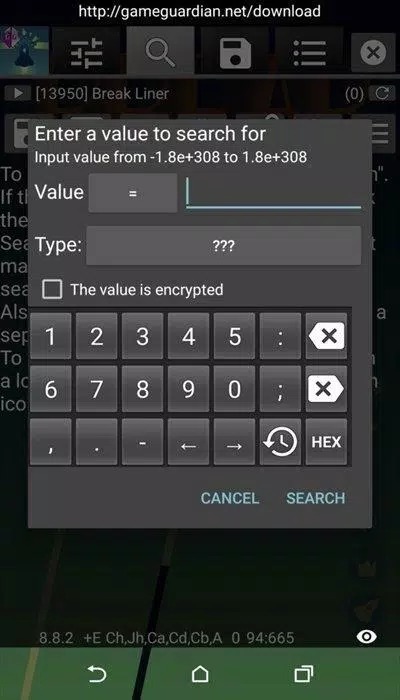
- 現在のコインの枚数など、すでに知っている値を検索します。
- 数値が変わるように少しプレイし、もう一度検索して、結果を正しい1件に絞り込みます。
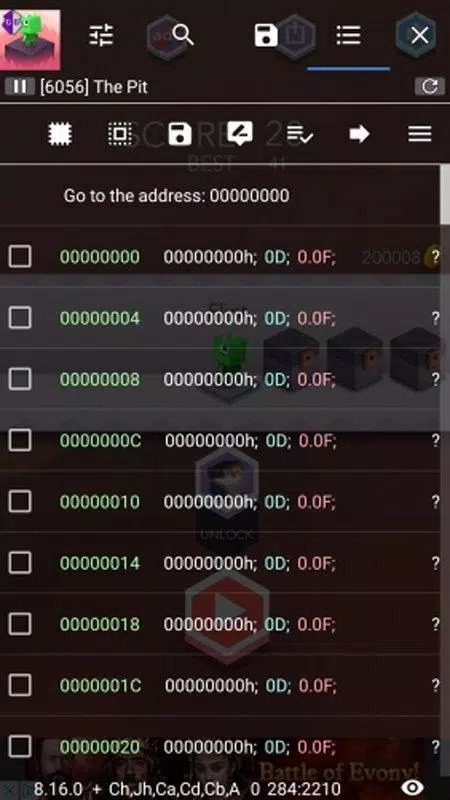
- その値を編集し、ゲームに戻って更新されたか確認します。
結果が多すぎる場合は、数値が動いたあとに2回目の絞り込み検索を続けてください。建築や待機の長いタイマーには、編集よりスピードハックのほうが早く済むことが多いです。
オンラインゲーム:期待しすぎないでください
シングルプレイやオフラインのゲームでは、値は端末上にあるため、ツールで自由に編集でき、変更も保持されます。オンラインゲームは違います。ゲームが進行状況を自社のサーバーに保存している場合、サーバーが数値を確認するため、画面上の編集は拒否され、チート対策によってアカウントが警告やBANの対象になる可能性があります。オンラインのタイトルでは、ここで得られるものは何もありません。GameGuardianは、実際に役立つオフラインとシングルプレイ用にとどめてください。
当サイトのその他のツール
GameGuardianは、当サイトで紹介しているツールのひとつです。似たものをお探しなら、GameKillerやAPK Editorをご覧ください。そのほかはツールカテゴリ全体でご確認いただけます。メモリエディタや仮想空間といった上記の用語に不慣れな方は、用語集でやさしい言葉で説明しています。
FAQ
GameGuardianは安全ですか?
GameGuardianにrootは必要ですか?
rootなしでGameGuardianを使うにはどうすればよいですか?
GameGuardianを使うとBANされることはありますか?
GameGuardianは無料ですか?
GameGuardianがGoogle Playにないのはなぜですか?
ダウンロード GameGuardian APK Android版
- ウイルスなし
- スパイウェアなし
- マルウェアなし
レビュー (3)