- No viruses
- No spyware
- No malware
This file was downloaded, scanned and installed by our editors before publishing.
Every file is also checked with VirusTotal before publishing.

My Family Cinema APK — Personal Cloud Media Player

Additional information about My Family Cinema APK — Personal Cloud Media Player
The description of My Family Cinema APK — Personal Cloud Media Player
My Family Cinema APK is a personal media player for Android, not a movie library. You feed it your own cloud and IPTV playlists, an M3U file or an Xtream Codes login, and it lines everything up by genre, language and year with posters and metadata. There are no ads. It runs on Android 5.0 and up, on phones and on TV boxes. One thing to be clear about up front: without your own playlist or cloud source, the app opens empty.
The file on this page is scanned for malware and installed on a real Android device by our editors before publishing, we have done this since 2018.
What is My Family Cinema?
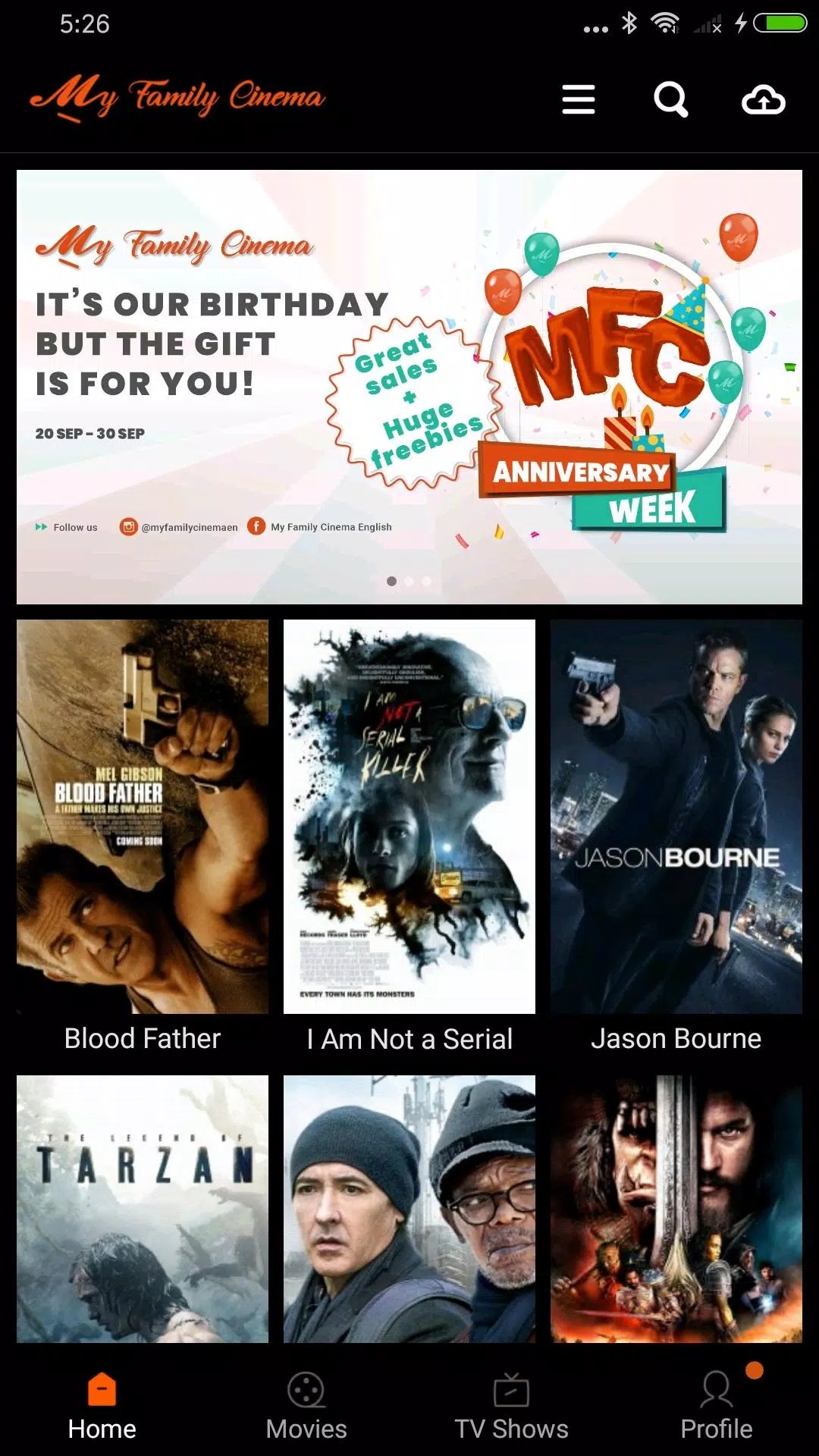
My Family Cinema is a compact video player and organizer. Think of it as the shelf, not the books. You load your own sources into it, an M3U link, an Xtream Codes playlist or a cloud address, and the app reads that list and lays it out in a clean grid. It pulls in posters, sorts titles by genre, language and release year, and can show you what is marked as coming soon.
The interface stays light and quick, which is a big part of why people pick it over a heavier player. But the point bears repeating. The app ships with no films and no channels inside. Bring your own source, or there is nothing to watch.
Key features
| Feature | What it does |
|---|---|
| Cloud & IPTV playback | Reads M3U and Xtream Codes playlists plus cloud links, so your own sources play in one place. |
| Auto-organized library | Sorts your titles by genre, language and year, with posters and basic metadata pulled in for you. |
| Subtitles & audio tracks | Supports subtitle files and multiple audio tracks when your source carries them. |
| No ads | The player itself is clean, with no banners or pop-ups interrupting playback. |
| Lightweight | Around 28 MB, runs fine on modest phones and on Android TV boxes. |
None of this changes the core idea. My Family Cinema is a front-end for content you already have access to, and every feature here works on top of the playlist or cloud link you add yourself.
Important: MFC hosts no movies
This is the honest part most listings skip. My Family Cinema is a player and a catalog tool, nothing more. It does not store, stream or supply any films or channels of its own. Whatever shows up inside comes from the source you connect, and that means the responsibility for that source sits with you.
A lot of people point the app at unofficial IPTV subscriptions. Plenty of those are unlicensed, and streaming from them can be illegal where you live. The app being a normal media player does not make a pirated playlist legal. If you are not sure a source is properly licensed, treat that as your cue to use one of the legal options below instead.
Legal free alternatives
If you just want something to watch tonight without hunting for a playlist, these are free, licensed and available on Android:
- Tubi — thousands of movies and shows, free with ads.
- Pluto TV — live channels and on-demand, no sign-up needed.
- Plex — free ad-supported movies and TV, plus a home server for your own files.
- Amazon Freevee — free, ad-supported films and originals.
- The Roku Channel — a broad free catalog that works beyond Roku hardware.
Got your own ripped or downloaded library at home? Plex or Jellyfin let you run a personal server and stream your files to any device, legally, no third-party playlist required.
How to download and install My Family Cinema APK
The download here is the original Google Play build, not a modified one. It is a small APK and installs in under a minute.
- Tap the green Download button at the top of this page. The file downloads directly, no registration and no SMS.
- Allow installation from unknown sources for your browser or file manager (Settings → Security).
- Open the file and tap Install, then launch the app.
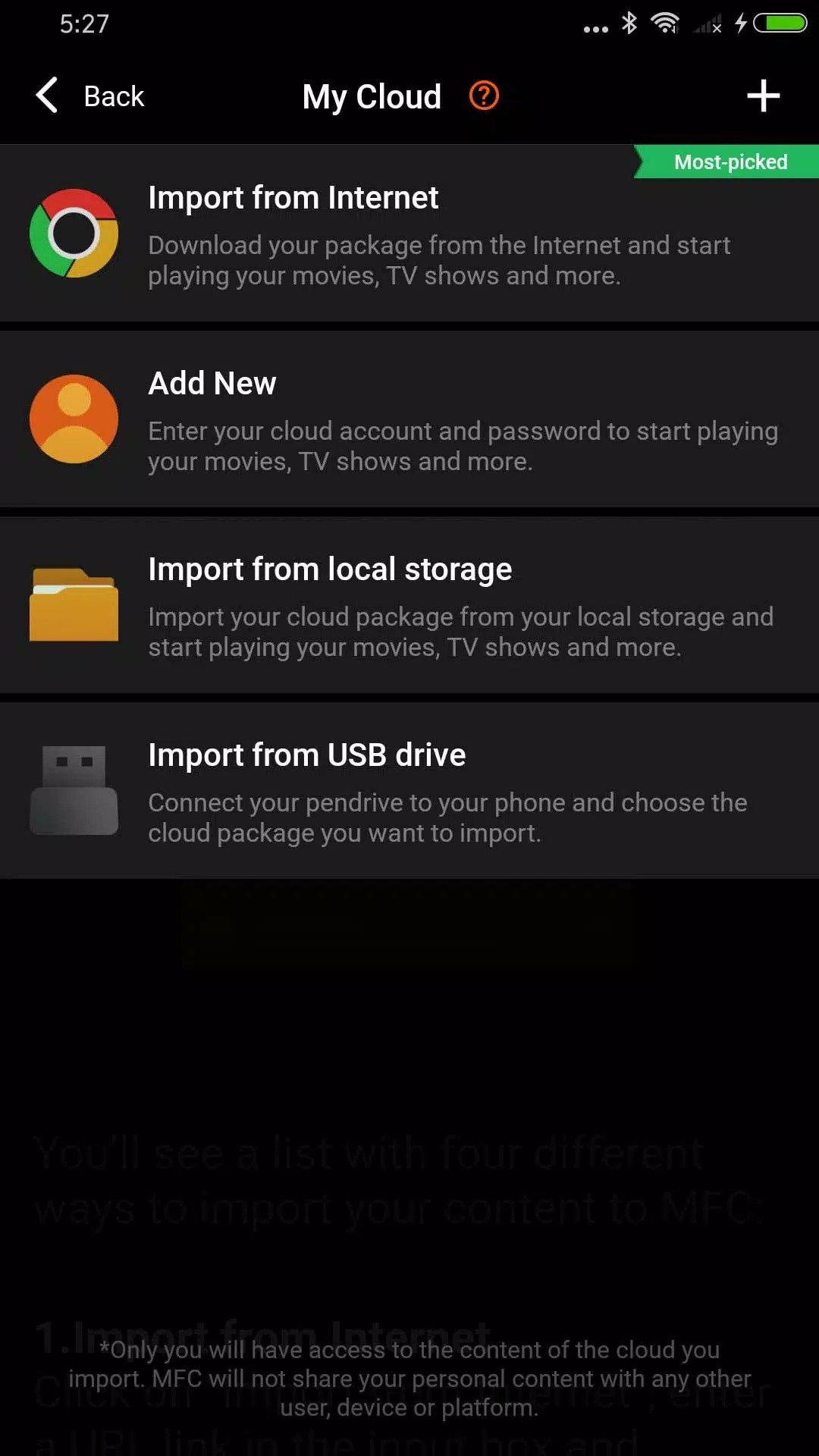
- Add your own source: tap the cloud icon, hit the +, and choose "Import from the Internet" to paste your M3U or Xtream Codes playlist.
The install is about 28 MB and needs Android 5.0 or newer. There is a separate build for TV boxes if you are setting this up on a big screen. First time sideloading anything? Our APK install guide walks through the same steps with screenshots.
MFC vs a standard streaming app
The difference comes down to who supplies the content. My Family Cinema is a bring-your-own-source client: flexible and ad-free, but useless until you connect a playlist or cloud you already have. A regular streaming app like Tubi or Pluto TV ships with a ready, licensed library, so you open it and press play with nothing to configure.
Neither is strictly better, they solve different problems. If you already manage your own cloud or IPTV setup, MFC is a tidy way to watch it on one screen. If you just want films right now, a licensed app saves you the hassle. You can browse more players and streaming tools in our entertainment section.
FAQ
Does My Family Cinema provide movies?
Is My Family Cinema legal?
What formats and playlists does it support?
Is it free and ad-free?
What are the legal free alternatives?
What is the download size and requirements?
Download My Family Cinema APK Android
- No viruses
- No spyware
- No malware
The reviews (0)