- No viruses
- No spyware
- No malware
This file was downloaded, scanned and installed by our editors before publishing.
Every file is also checked with VirusTotal before publishing.

Free Fire Advance Server APK, Official Test Server
Additional information about Free Fire Advance Server APK, Official Test Server
The description of Free Fire Advance Server APK, Official Test Server
The Free Fire Advance Server is Garena's official test client, where a limited group of players try new characters, weapons and modes one to two weeks before they reach the live game. Each build opens for a short window tied to an OB update, then the login closes again until the next cycle.
Read this first so you know what you are downloading. This is not a mod, you cannot get free skins or unlimited diamonds here. You need a personal Activation Code from Garena to log in, and everything you unlock stays on the test account. What you get is early access and, if you file useful bug reports, diamonds paid to your main account.
What is the Free Fire Advance Server?
It is a separate app that Garena rebuilds for roughly every second OB update, about once every two months. Each build has its own package name, com.dts.freefireadv, so it installs next to normal Free Fire instead of replacing it. The test window stays open for one or two weeks, then the server shuts and that APK stops working until the next cycle.
The account is separate too. You log in with a Garena account linked to Free Fire, but your progress, rank and skins do not carry over, the test build starts clean, and anything you unlock while testing stays on the test server. So why bother? Two reasons. You see the next update's content before anyone else, and Garena pays diamonds to your main account for bug reports it accepts. That reward is the real point of joining, not the test content itself.
How to register and get an Activation Code
Registration happens on Garena's site, not inside the APK. The steps are short, but codes are limited and Garena decides who gets one.
- Open ff-advance.ff.garena.com in your browser during an open OB window.
- Log in with the Facebook or Google account that is already linked to your Free Fire profile.
- Fill in the short form, usually an email and a phone number.
- Wait to be selected. If Garena picks you, an Activation Code appears in your account.
The code is one-time and personal: it works only for your account and only in the current OB cycle. There are never enough codes for everyone, so active, long-term players tend to have better odds. One warning, do not buy "activation codes" from third parties. They are tied to a single account and Garena issues them for free, so any seller is a scam.
Download and install the APK
Grab the file from the green Download APK button on this page, not from Google Play, the Advance Server has never been on Google Play, and Garena hands it out only through its own site and app catalogs. The file is large, around 750 MB, so clear some space first.
- Tap the Download APK button at the top of this page, direct download, no registration or SMS.
- Allow installation from unknown sources for your browser (Settings → Security).
- Install it. It sits alongside your normal Free Fire because the package name is different. You do not need to delete anything.
- Open the app and enter your Activation Code when it asks.
First time sideloading a file this size? Our APK install guide walks through the same steps with screenshots.
Server schedule: when is it open?
The windows follow OB releases, not a fixed calendar. A build opens for about one or two weeks around each cycle, then Garena closes the login. Outside that window there is nothing to log into, and an old APK from a past cycle simply will not connect.
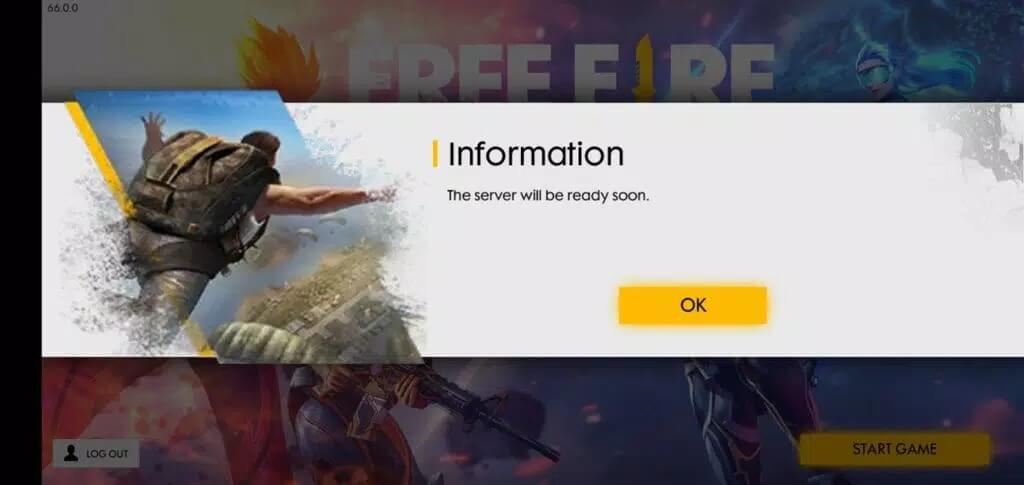
This is the answer to the most common complaint, "why can't I log in?" Most often the window has already closed, or you are on a client from an earlier OB. When the next cycle opens, download the current build here. If the version on this card looks stale between windows, tap Request update and we will refresh it for the new OB.
Advance Server vs Free Fire vs MAX
Three different clients get confused a lot, so here is the short version:
| Client | What it is |
|---|---|
| Garena Free Fire | The standard live battle royale everyone plays. |
| Free Fire MAX | The HD version of the same game, shared progress, better graphics. |
| Free Fire Advance Server (this page) | The official test client for trying the next update early. |
To be clear: the Advance Server is official and using it gets nobody banned. But it is not a way to get unlimited diamonds, diamonds are paid only as a reward for accepted bug reports, and only to your main account. If you want more shooters to test, look through the action games in the catalog.
FAQ
How do I get a Free Fire Advance Server activation code?
Can I play the Advance Server without a code?
Do rewards transfer to my main account?
Why can't I log in to the Advance Server?
Is the Advance Server a mod? Can I get banned?
Can I keep normal Free Fire installed?
Download Free Fire Advance Server
- No viruses
- No spyware
- No malware
The reviews (6)
Hilesi