- No viruses
- No spyware
- No malware
inc.trilokia.pubgfxtool.freeThis file was downloaded, scanned and installed by our editors before publishing.
Every file is also checked with VirusTotal before publishing.

PGT+ Pro GFX & Optimizer MOD APK (Premium)
Additional information about PGT+ Pro GFX & Optimizer MOD APK (Premium)
inc.trilokia.pubgfxtool.freeThe description of PGT+ Pro GFX & Optimizer MOD APK (Premium)
PGT+ Pro GFX & Optimizer MOD APK is a graphics tweaker for PUBG Mobile, BGMI and other mobile FPS games, and this build comes with Premium unlocked, so the ads are gone and the advanced presets are open. It writes your graphics settings, resolution, FPS, shadows and graphics style, before the game even starts. One thing to know up front: it changes your in-game graphics from outside the game, which is exactly why the ban section further down matters. The file on this page is scanned for malware and installed on a real Android device by our editors before publishing, we have done this since 2018.
What is PGT+ (Pro GFX & Optimizer)?
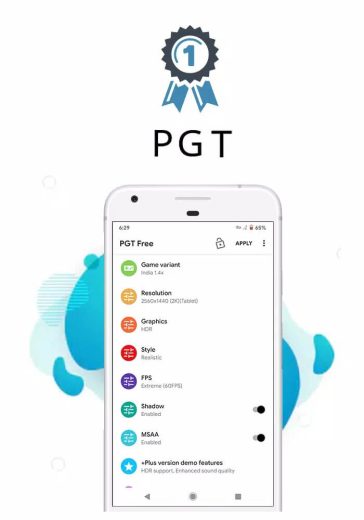
PGT+ (Pro GFX & Optimizer) is made by Trilokia Inc., and it's a small launcher-style utility rather than a game overlay. It doesn't run inside your match. Instead it writes a set of graphics parameters into the game's config, then hands off to the game when you tap the launch button. It supports the main PUBG Mobile clients, Global, CN, KR, VN, TW, LITE and BETA, so you just point it at the version you actually play. The APK is tiny, around 4.6 MB, and it runs on Android 4.4 and up.
What the tool lets you change
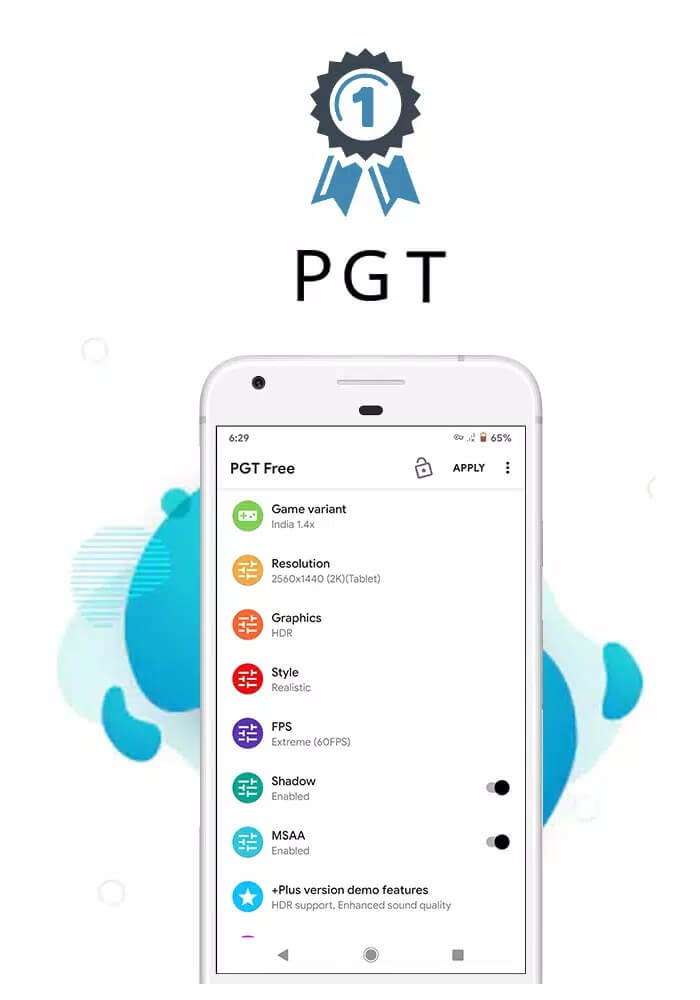
PGT+ exposes the graphics knobs the game normally keeps behind its own menus. Here is what you get to touch:
| Setting | What it does |
|---|---|
| Resolution | Sets the render resolution, from lower values for smoother play to higher ones for a sharper picture. |
| FPS cap | Opens frame-rate options such as 40, 60 or 90, depending on what your device and game build allow. |
| Graphics style | Smooth, Balanced, HD, HDR or Ultra, each a different look-versus-load trade-off. |
| Shadows & MSAA | Turns shadows and anti-aliasing on or off to save frames or clean up edges. |
| Style & brightness | Adjusts colour style and brightness for the on-screen tone you prefer. |
| Potato mode & simple shaders | Strips detail down for weak or older phones so the game stays playable. |
Be honest with yourself about the ceiling here. The values that actually stick depend on your phone and your game version, and the tool doesn't add hardware. It only opens options; a budget chip won't hold a locked 90 just because you asked for it.
What Premium/Plus unlocks
The Premium build changes what's available in the tool itself, not in the game's servers. Here's the short list:
| Premium feature | What changes |
|---|---|
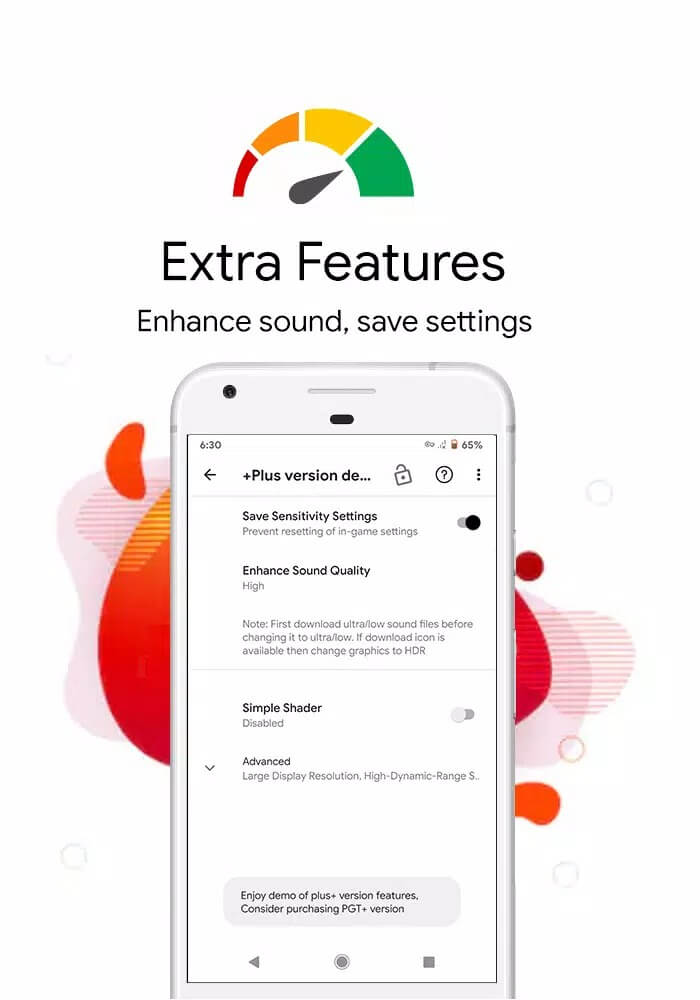
| No ads | The banner and interstitial ads in the free version are removed. |
| Extended presets | Advanced graphics presets that the free build keeps locked become selectable. |
| Extra parameters | Additional fine-tuning options open up beyond the basic free set. |
Worth stressing: this unlock is client-side, living inside PGT+ on your phone. It has nothing to do with the game's servers and doesn't touch your account, your rank or anything PUBG Mobile stores online.
Ban risk and game Terms of Service
This is the part the aggregator sites skip, so read it. The PUBG Mobile team has stated openly that third-party GFX tools are not permitted, that they break the game's Terms of Service, and that using one can lead to account suspension if it's detected. That's their official position, not our guess. So treat PGT+ as use-at-your-own-risk. It is not a "safe way to cheat your graphics", and anyone selling it that way is glossing over the real downside. The safest route to better visuals is to change the graphics inside the game itself, which nobody can flag you for.
How to download and install
The whole thing is one small APK, no extra data pack to fetch. It starts from this page.
- Tap the green Download APK button at the top of this page. The file downloads directly, no registration or SMS.
- Allow installation from unknown sources for your browser or file manager (Settings → Security).
- Open the file (around 4.6 MB) and tap Install. It sets up in a few seconds on Android 4.4 and up.
- Launch PGT+, pick the PUBG Mobile client you play, set your resolution, FPS and style, then apply and start the game.
First time sideloading an app? Our APK install guide walks through the same steps with screenshots.
PGT+ or in-game settings?
Here's the honest call. For an online game like PUBG Mobile, the in-game graphics menu is the smarter pick, because it can't get your account flagged. PGT+ earns its place in narrower spots: offline or emulator setups, and low-end phones where you want to squeeze out every frame and you understand the risk you're taking. Decide which side of that line you're on before you install. Want to keep browsing? Check the rest of our apps catalog or dig through more MOD builds we've tested.
FAQ
What is PGT+ used for?
What does the Premium version unlock?
Can I get banned for using PGT+?
Does it really give 90 or 120 FPS?
Is the APK safe to install?
Is there a safer alternative?
Download PGT+
- No viruses
- No spyware
- No malware
The reviews (0)