EN

The 5 Best Telegram Client Apps for iOS

The 5 Best Telegram Client Apps for iOS
The 5 Best Telegram Client Apps for iOS Telegram is a powerhouse in the messaging world, known for its speed, privacy, and flexibility. But did you know there are alternative Telegram client apps that offer even more features? If you’re an iOS user looking to enhance your Telegram experience, here are five fantastic client apps that can take your chats to the next level, starting with the highly customizable Nicegram.
  1. Nicegram

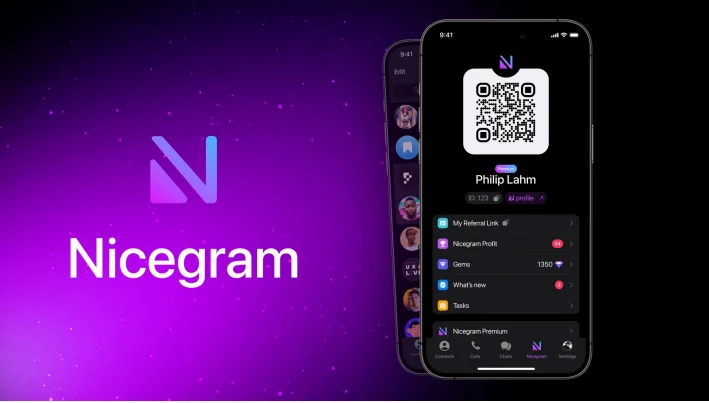
Nicegram takes everything you love about Telegram and gives you more—more features, more privacy, and more customization. Think of it as Telegram with all the upgrades you didn’t know you needed. Want multiple accounts? Nicegram has you covered. Need custom tabs to organize your chats better? Done. And if you’re tired of channels being blocked, Nicegram lets you unblock them too. A particularly cool feature is the nicegram ai chat for telegram, which acts as your personal assistant right within the app. Imagine having an AI that can answer questions, automate replies, or even just keep you entertained during a dull chat. Nicegram’s flexibility and user-friendly interface make it an excellent choice for anyone who loves control over their messaging experience. Nicegram
  1. iMe Messenger

If productivity is your game, then iMe Messenger is the Telegram client for you. It not only offers the core Telegram features but also comes with handy tools like an integrated crypto wallet, built-in translation for chatting across languages, and AI-driven message management to help you keep things organized. iMe is like a Swiss army knife for Telegram users—whether you need to manage your crypto or clear chat clutter, it has something for everyone. If you want Telegram with extra bells and whistles for productivity, this app should be on your radar.
  1. Telegraph X

Not every Telegram user needs flashy extras—sometimes, a clean and effective experience is best. That’s where Telegraph X shines. It’s a streamlined Telegram client with added perks like cloud storage integration, meaning you can save and share files effortlessly. Telegraph X also has advanced notification settings, allowing you to customize how and when you’re alerted. It’s simple, efficient, and gives you control without being overwhelming—a great choice for those who like to keep things straightforward but functional.
  1. TelePlus

Privacy matters, and TelePlus knows it. This Telegram client takes privacy and customization to new levels with features like scheduled messages that auto-delete, advanced filtering, and extensive chat customization options. You can sort your chats into different categories—like unread, groups, and channels—so you never miss an important message. If you’re someone who values both privacy and the ability to personalize every detail, TelePlus is your match.
  1. Madeline

For users who want to get things done without lifting a finger, Madeline might just be the ideal choice. It’s built for automation—scripting tools that let you auto-reply, schedule updates in your group chats, and even manage your channels more efficiently. Businesses and community managers will find Madeline a real game-changer, providing the automation tools you wish the official app had.

Which One Should You Choose?

The best Telegram client app for you depends on your needs. If customization and AI assistance excite you, Nicegram, with its nicegram ai chat for telegram, is the perfect pick. Looking for productivity tools and crypto integration? iMe Messenger should be your go-to. For a minimalist and practical experience, Telegraph X is ideal. TelePlus is perfect for those who need enhanced privacy and chat organization, while Madeline stands out for its automation features. Ultimately, these five clients offer something different, whether it's simplicity, productivity, privacy, or automation. The choice is yours—pick the one that makes Telegram work best for you!

The reviews (0)