- No viruses
- No spyware
- No malware
This file was downloaded, scanned and installed by our editors before publishing.
Every file is also checked with VirusTotal before publishing.

Local ADB (Android 11+) APK — On-Device ADB Shell
Additional information about Local ADB (Android 11+) APK — On-Device ADB Shell
The description of Local ADB (Android 11+) APK — On-Device ADB Shell
Local ADB (Android 11+) runs an ADB shell right on your phone, with no PC and no root needed. It talks to localhost at 127.0.0.1 over Android's built-in Wireless debugging, so you type adb shell commands on the same device you are holding. This is a developer tool, not a mod or a game hack. The APK on this page is scanned for malware and installed on a real Android device by our editors before publishing, we have done this since 2018.
If you have ever wanted to poke at your phone with real ADB but did not have a laptop nearby, this is the one. It is small, quick to set up, and it stays entirely on the device.
What is Local ADB?
Local ADB is an on-device ADB client, built on the open-source LADB project. Instead of routing through a computer, it starts an ADB server and client on the phone itself and connects to the loopback address, 127.0.0.1. It leans on Wireless debugging, a system feature Google added in Android 11, to authorize that local connection.
The result is a plain terminal where you run shell commands against your own device. It is aimed at developers, tinkerers and power users who want the ADB toolbox without cables or a desktop setup. No root, no PC, just the phone.
Myth-buster: it does NOT connect to a PC
Here is the thing most write-ups get backwards. Local ADB does not link your phone to a computer over Wi-Fi, and it does not replace USB debugging to a laptop. There is no PC in the picture at all. The app runs the ADB server and client locally and points them at localhost, so the phone is effectively talking to itself.
And to be clear on the other common mix-up: it does not need root. Running without root is the whole point of the tool, that is why the Wireless debugging handshake exists.
What you can do
Once it is paired, you have the everyday ADB toolbox in your pocket:
- Run any adb shell command straight on the device.
- Tweak hidden system values with pm and settings, for example changing DPI or disabling a stubborn package.
- Sideload apps with adb install from the shell.
- Pull live logs with logcat to chase down a bug.
- Grab screenshots and screen recordings using screencap and screenrecord.
It is handy for debugging right where you actually use the phone, instead of tethering to a desk first.
How to set up (Android 11+)
Setup is a one-time thing. You turn on Wireless debugging, hand the app a pairing code, and you are in.
- Open Settings → About phone and tap the build number seven times to enable Developer options.
- In Developer options, switch on Wireless debugging.
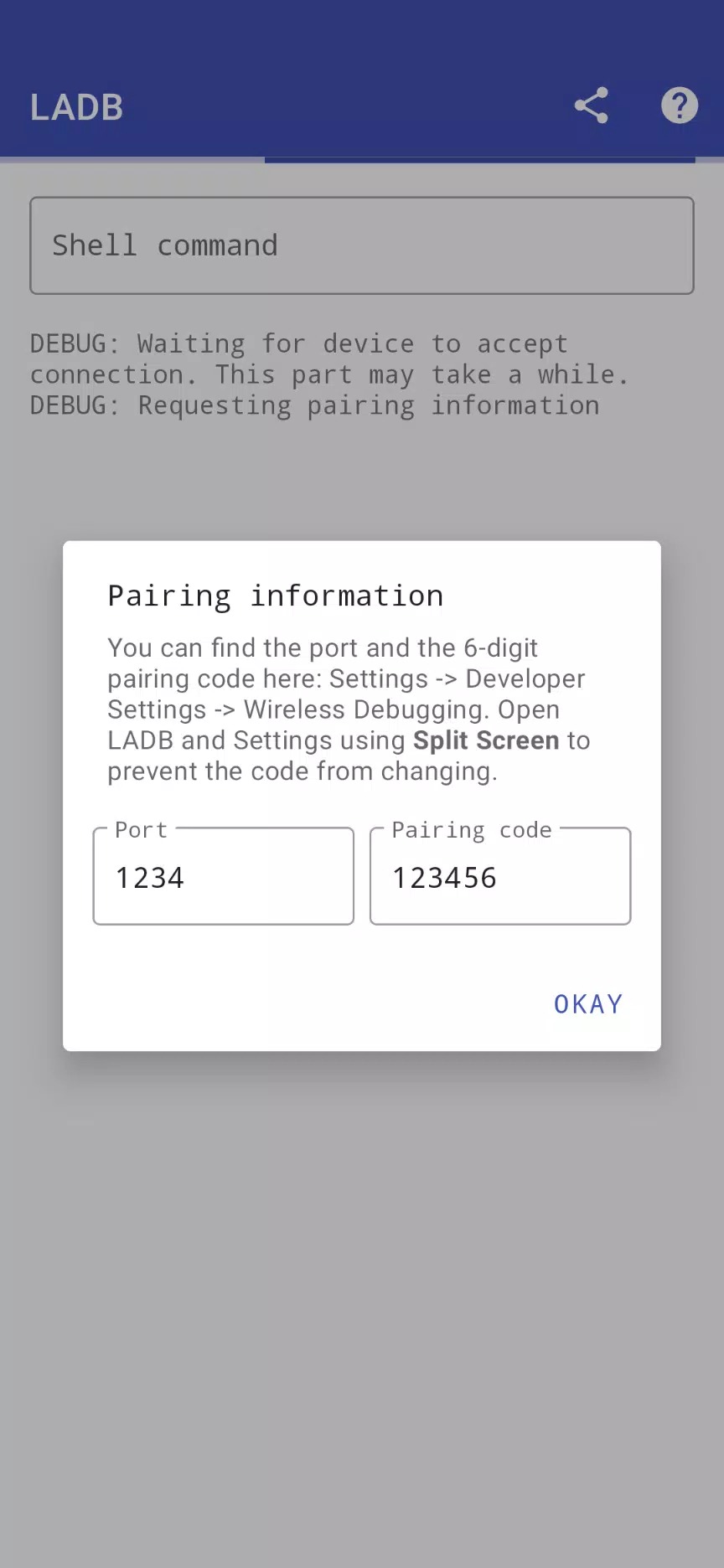
- Tap "Pair device with pairing code" to get a code and a port number.
- Type that pairing code and port into Local ADB when it asks.
- Once paired, start entering commands in the terminal.
You need Android 11 or newer for this, since Wireless debugging did not exist before then. After the first pairing, the app connects on its own the next time.
Install the APK
The download is a small APK, about 5.7 MB, and everything runs from this page.
- Tap the green Download APK button at the top of this page, the file comes down directly, no registration or SMS.
- Allow installation from unknown sources for your browser or file manager (Settings → Security).
- Open the file, tap Install, then launch Local ADB and follow the pairing steps above.
First time sideloading anything? Our APK install guide walks through the same steps with screenshots. The project is open-source, so nothing about the app is hidden, which is a fair reason to trust a tool that touches your system settings.
Safety & limits
One honest note on what this can and cannot do. Commands run with normal shell user privileges, not root, so anything that truly needs root will still be off limits. That keeps things reasonably safe, but it is not a free pass. A careless command can change real settings or remove a package you wanted, and there is no undo. Copy commands you understand, read them before you hit enter, and you will be fine. Want more like this? Browse our tools section or the wider apps catalog for other utilities.
FAQ
Does Local ADB need a PC?
Does it need root?
What Android version is required?
What can I run with it?
Is it a mod, and is it safe?
What are the size and requirements?
Download Local ADB APK Android
- No viruses
- No spyware
- No malware
The reviews (0)