What are Progressive Web Apps and what are their benefits?
Last updated: Jun 19, 2026
Progressive Web Apps (PWAs) - are websites that resemble smartphone apps not only in appearance, but also in functionality. The popularity of progressive web apps is gaining momentum every year, and today I'll tell you why.
The Benefits of PWAs
- The first advantage of PWA over apps is that you don't have to go to Google Play or the AppStore to download anything. All you need is an Internet connection and a browser.
- The second advantage of PWA is that anyone can install a shortcut to the site on the home screen of their device as if it were a mobile app. What's more, the site doesn't need the extra 100 MB of space that would make it necessary to delete photos or other apps. It's critical, as part of the PWA deployment strategy, to decide when it's most convenient to show the user that they can create a shortcut on their smartphone's home screen.
- With Progressive Web App, the user can continue to use the site even if the Internet is gone. Profit to loyalty!
- PWA pages can weigh less than 1 MB. This gives a big advantage to the mobile-first world (which we actually live in).
- One strategy for increasing repeat visits is to send push notifications. Push notifications remind the user that there is new content on the site. Fortunately, Progressive Web Apps allows you to send notifications to your smartphone's home screen, similar to regular apps (alas, it only works on Android for now).
Examples of popular PWAs
- The Washington Post. After launching PWA there was a 12% increase in visits, page load time was reduced to 80 milliseconds.
- With the addition of this feature, the online store increased traffic by 28%.
- Book My Show. India's largest ticketing company with 50 million monthly visitors. Implementation of PWA increased conversion rate by 80%.
How do Progressive Web Apps work?
Progressive Web Apps consist of two main parts:- The shell, which displays the page structure (the grid);
- Content, which can vary between different pages of the app.
Manifest File
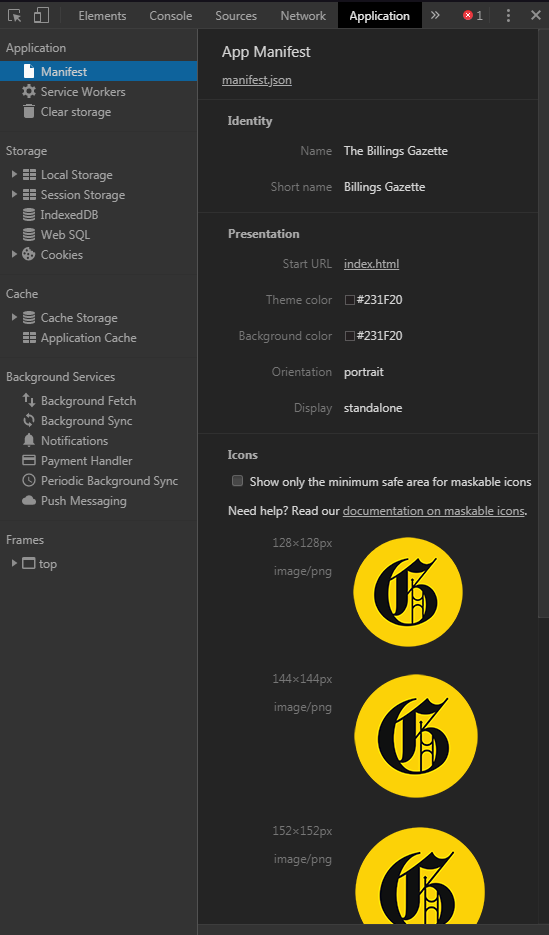
One of the most important elements of PWA is the application manifest in JSON format. The file allows you to change the visuals in areas where content would normally be displayed. This file contains the following data:- Name: the name of the application.
- Description: The description of the application.
- Icons: the icon of the application with different resolutions for mobile devices.
- Start url: launch url. When the user clicks on the icon, the home page should open.
- Display: display settings (standalone, fullscreen, minimal-ui and others).
- Orientation: the web application can be used in portrait or landscape mode.
- Theme_color: the color that will be used in the top bar of the application.
- Background_color: the color for the screen before the application is fully loaded.
Service Worker
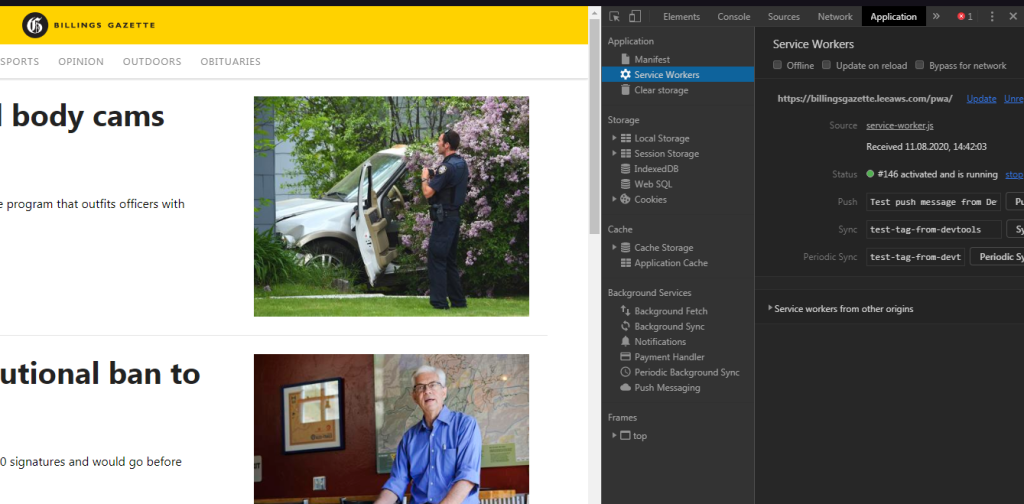
Another important PWA file is the Service Worker, a script that runs in the background and allows the site to work offline, loading content and generating push notifications. You can check if the site is using service-worker.js scripts with your browser:- Open any web page.
- Right-click and select "Inspect Element".
- Click on the "Application" tab and "Service Workers." Here is an example:
- PWA examples.