- No viruses
- No spyware
- No malware
This file was downloaded, scanned and installed by our editors before publishing.
Every file is also checked with VirusTotal before publishing.

Lotus365 APK — Betting App Overview (18+) for Android







Additional information about Lotus365 APK — Betting App Overview (18+) for Android
The description of Lotus365 APK — Betting App Overview (18+) for Android
Lotus365 APK is an India-focused online betting and casino app for adults, covering cricket and IPL markets plus casino games like Teen Patti and slots. This is a real-money gambling app, so it is 18+ only and carries financial risk. Before we listed the file here, our editors scanned it for malware and installed it on a real Android device, the same check we have run since 2018. Read the safety and legal notes below before you decide anything.
To be clear up front, this page is a factual overview, not a recommendation to bet. We explain what the app is, what it needs to run, and where the real risks sit.
What is Lotus365?
Lotus365 is an online betting and casino platform aimed at players in India, published by Team Lotusbook. On the sports side it lists cricket, IPL, football, tennis and kabaddi, with live in-play betting. On the casino side you get games such as Teen Patti, roulette and slots. It is a real-money product, plain and simple.
You won't find it on Google Play. Play does not host real-money gambling apps that operate this way in India, so Lotus365 is spread as an APK file through its own channels instead. That is normal for this category, but it also means there is no store review sitting between you and the download, which matters for the safety section further down.
Age and legal notes (18+)

This app is for adults only, 18 and over. Real-money betting means you can lose money, and losses can add up quickly, so treat it as a financial risk, not entertainment with guaranteed value.
The legal side is not simple in India. Online betting is regulated at the state level, and the rules differ from one state to the next, some restrict it, some do not. It is on you to check the current law where you live before installing or using an app like this. If real-money gambling is not permitted in your state, don't use it.
Safety and scam risk

This is the part worth slowing down for. Because Lotus365 lives outside Google Play, plenty of copycat "lotus365" APKs float around the web, and a lot of them are dangerous. Some are repackaged with malware that quietly harvests your UPI and banking details, which is a serious problem for an app you'd hand payment information to.
There are also many lookalike domains claiming to be the official source. A few basic habits help: download only a file you can verify, keep your payment and login details guarded, and be suspicious of any version asking for odd permissions. The file on this page is the editor-tested one, but no download is worth rushing when your bank data is on the line.
How to download and install
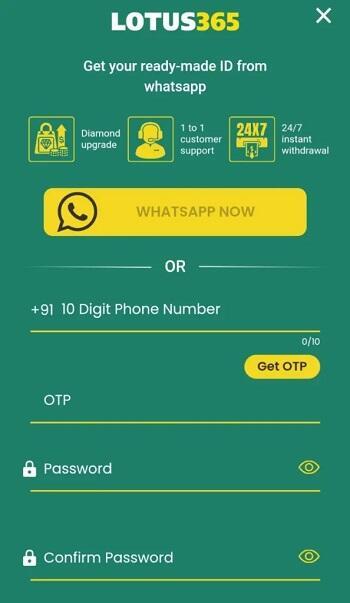
The app is a small APK, around 3 MB, and it runs on Android 4.1 and up. A file that light is most likely a webview wrapper around the site rather than a heavy native app. Here is the plain install path.
- Tap the Download APK button on this page to get the file.
- Allow installation from unknown sources for your browser or file manager (Settings → Security).
- Open the downloaded file and tap Install, then launch it.
First time sideloading anything? Our APK install guide walks through the same steps with screenshots. Keep enough free storage and a stable connection while it sets up.
Responsible gambling
If you do choose to use an app like this, a few ground rules protect you more than any tip about odds ever will.
- Only stake money you are genuinely fine with losing, never rent or bill money.
- Set a hard limit for a session and stop when you hit it, win or lose.
- Don't chase losses. Trying to win it back is how small losses turn into big ones.
- Take breaks, and step away completely if betting stops feeling optional.
- If it's becoming a problem for you or someone close to you, reach out to a gambling support helpline.
Verdict
Lotus365 is a real-money betting and casino app for adult users in India, not a game and not a productivity tool. Our page is here to give you a straight, factual picture, what it is, what it needs, and the risks around fake builds and legality, rather than a push to sign up. Weigh the safety and legal notes above, and if betting isn't for you, browse the rest of our apps instead.
FAQ
What is Lotus365?
Is Lotus365 on Google Play?
Is Lotus365 legal?
Is the Lotus365 APK safe?
What are the requirements?
What is the size and version?
Download Lotus365 APK 16.0 — Download for Android
- No viruses
- No spyware
- No malware
The reviews (0)